Can’t Browse Xianyu (Goofish) Without an Account? 2 Ways to Keep Shopping (Nov 2026)
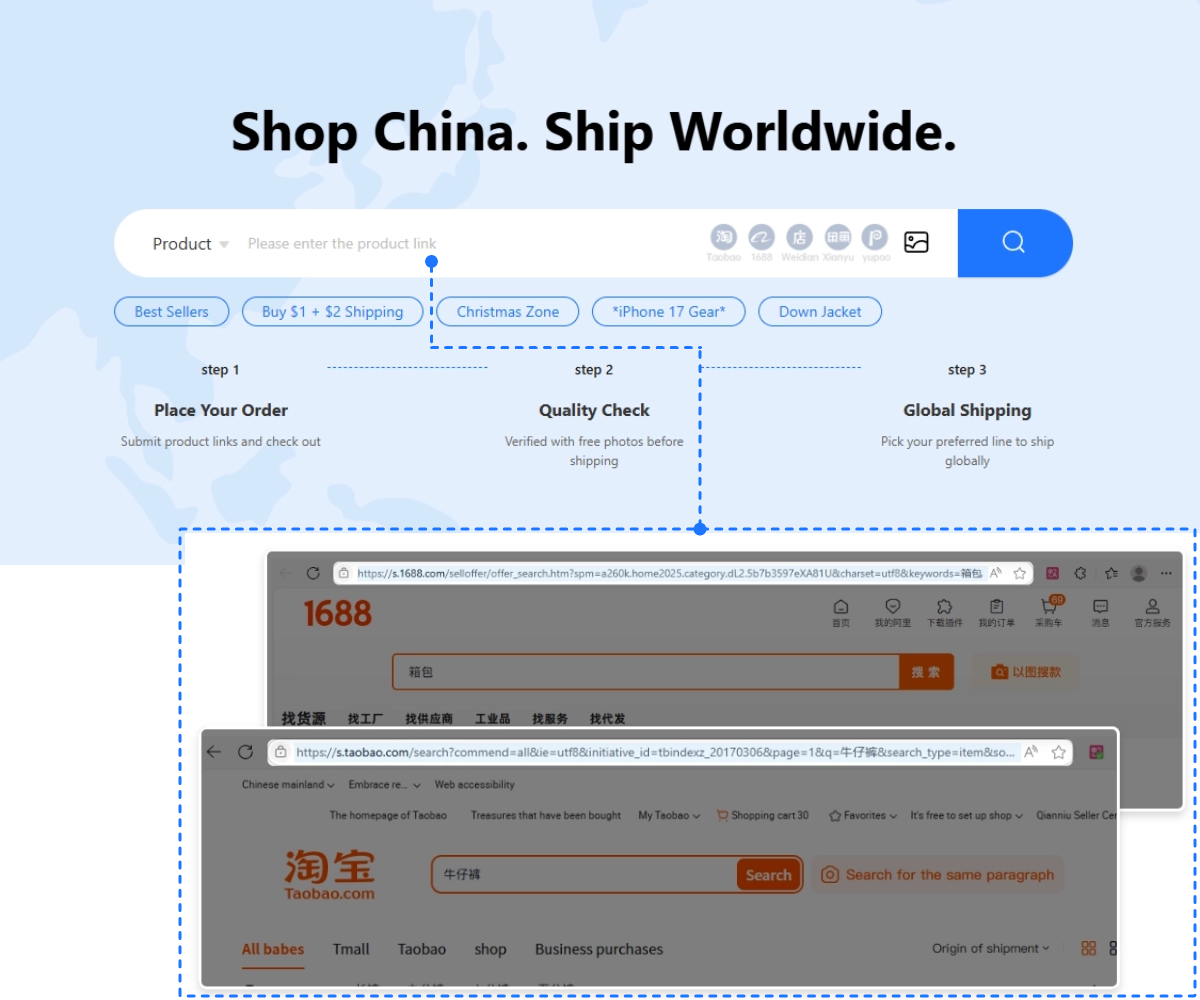
Since mid-November 2026, goofish.com has been showing a login prompt to overseas visitors. Log in with your own account, or send Fishgoo a link, screenshot or keyword — 0% purchasing service fee.
Can’t Browse Xianyu (Goofish) Without an Account? 2 Ways to Keep Shopping (Nov 2026)
How do I get a Xianyu link without an account?
Already have the message? Copy the whole message, including the web address. For a link like goofish.com/item?id=…, keep the item number. Paste your link or share text →
Only see a login prompt? Ask whoever shared the item to open its listing in their app and tap 分享 → 复制链接 (Share → Copy link). If they only have a photo, ask for the item name and a screenshot with the price, then see how to request help finding it.
What changed on Xianyu in November 2026
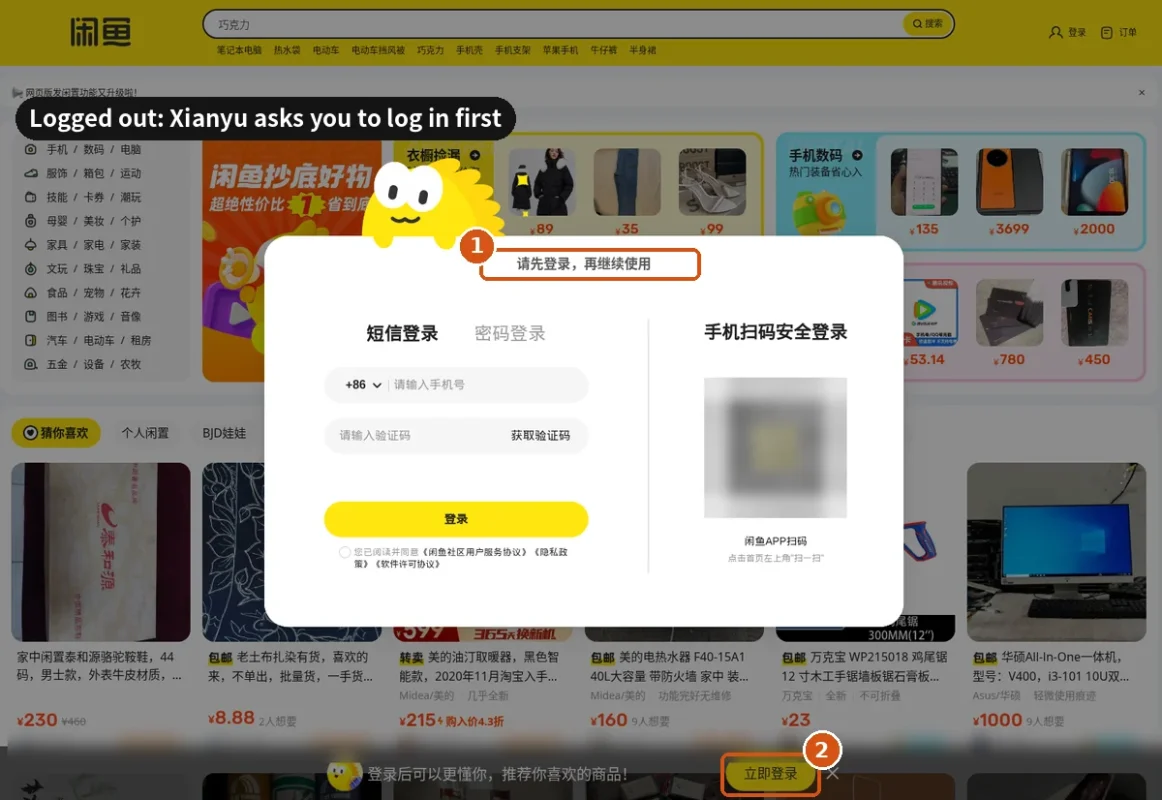
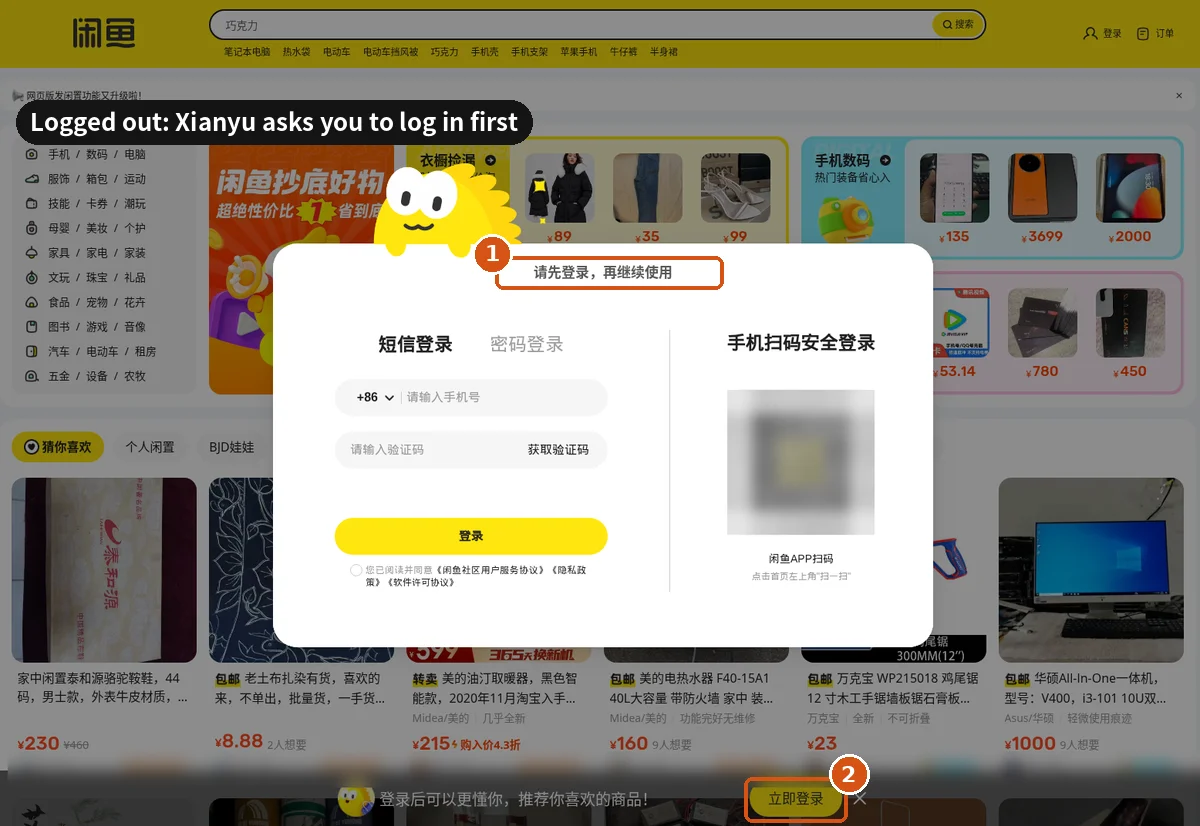
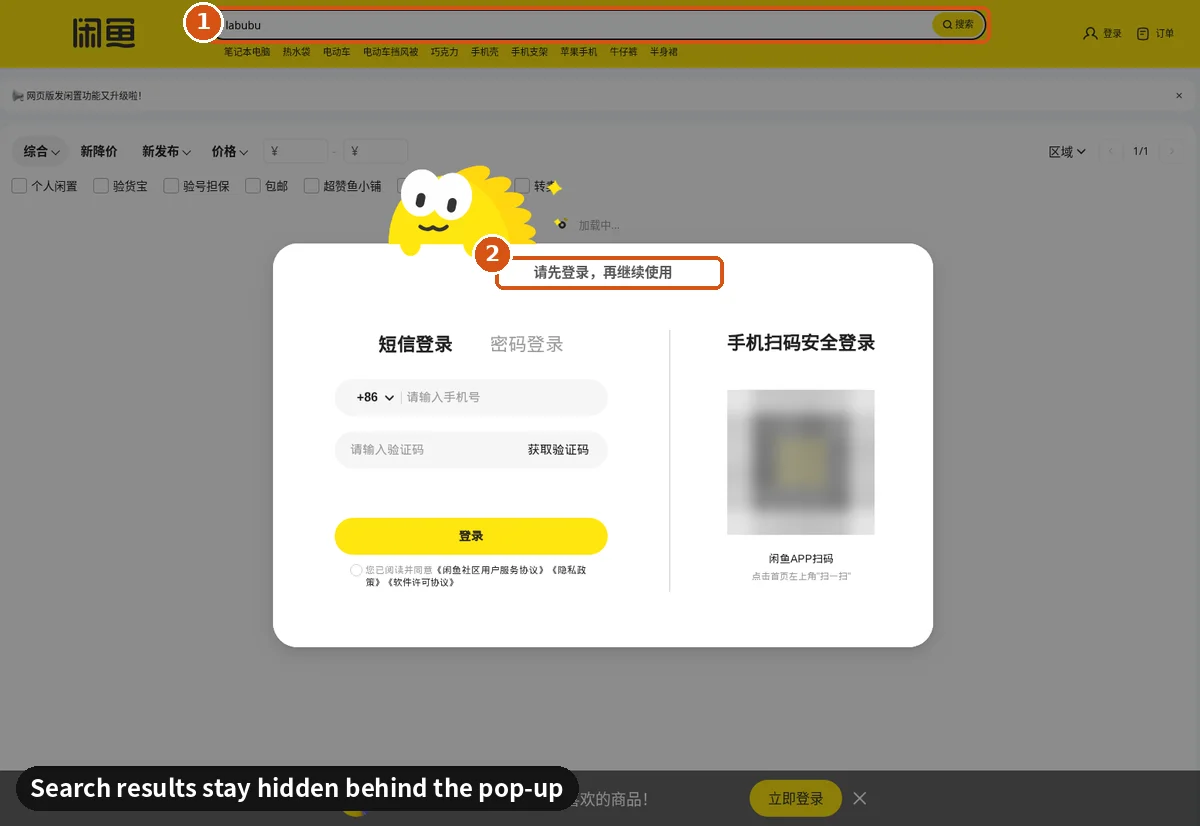
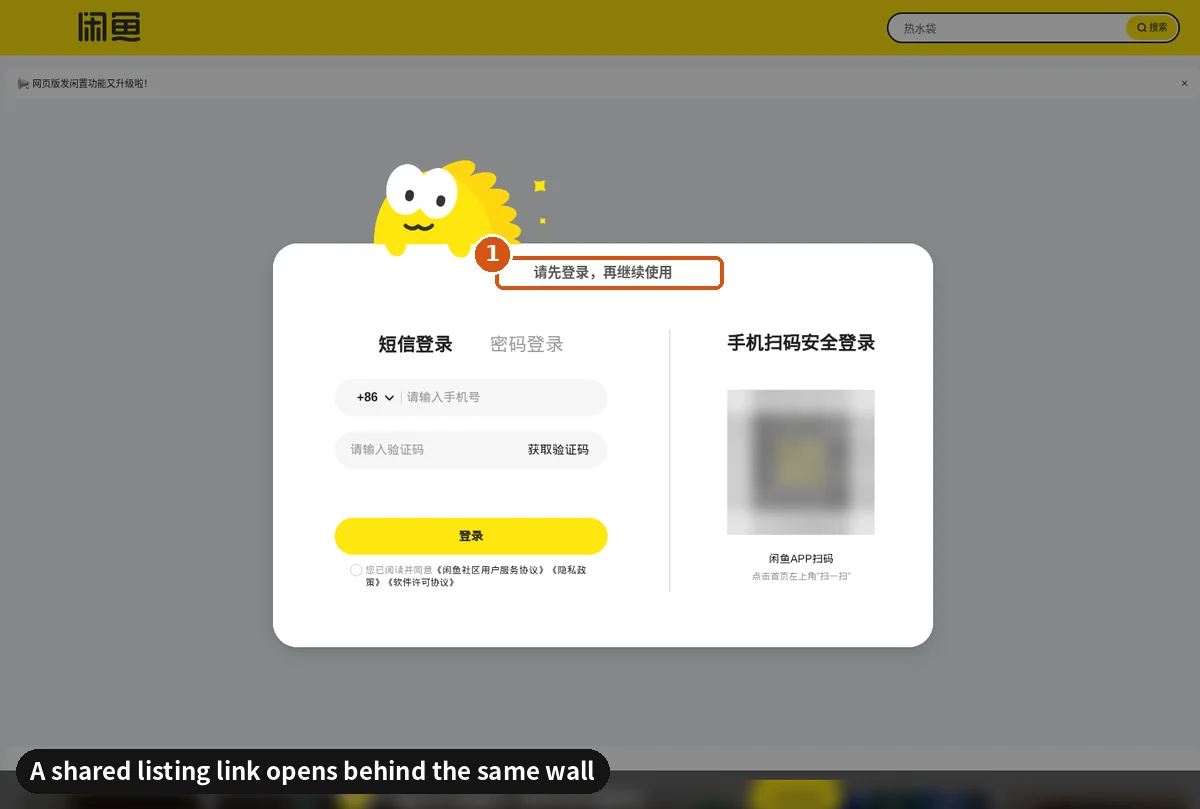
Starting around 12 November, many overseas shoppers reported on X that goofish.com stopped showing search results or listings until they logged in. Xianyu hasn’t published an announcement, so treat this as current behaviour, not a permanent rule. Here is what a logged-out visitor sees:
Route A: You already have an account (log in the right way)
Got a Xianyu link or share text? Paste it here.
Step 1. Pick a login method on goofish.com
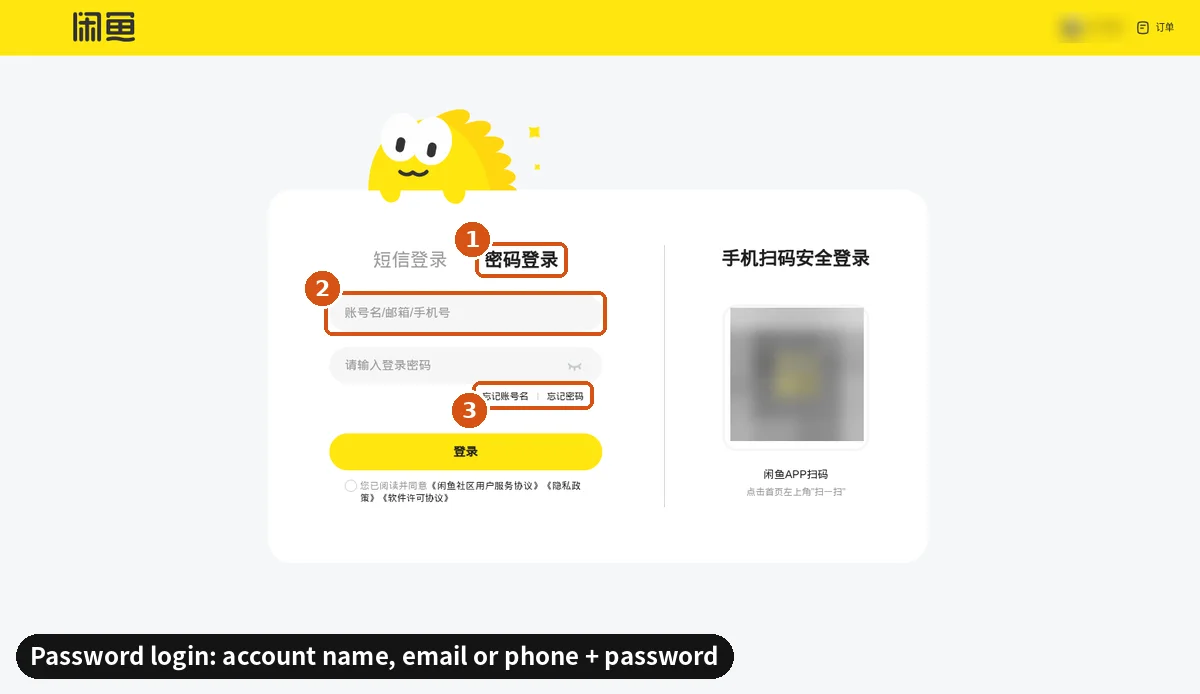
Click 登录. The website offers three ways in: SMS, password, or a QR code scanned with the Xianyu app. Install the app only from your official app store, and log in with your own account.
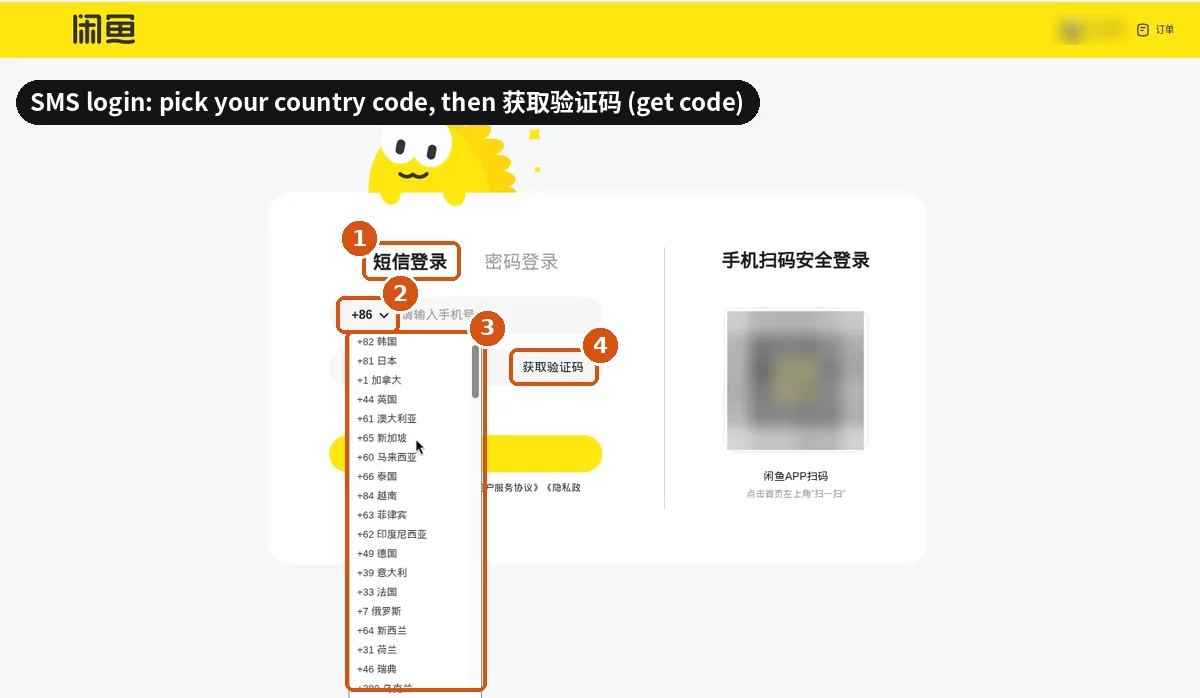
If the SMS code never arrives: wait a few minutes before retrying; repeated requests can trigger a temporary block. Many overseas numbers are listed but don’t receive codes. If yours doesn’t, switch to Route B rather than using virtual numbers.
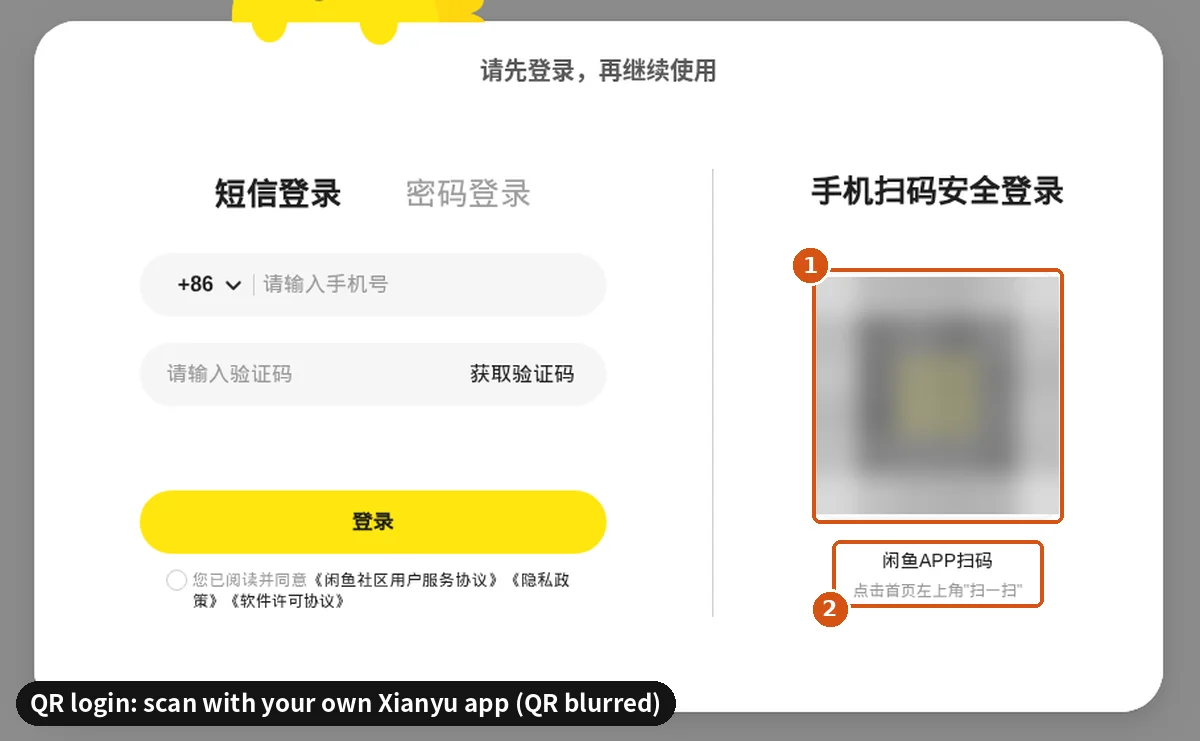
Step 2. Search in Chinese and save what you like
Search in Chinese (e.g. 星铁 吧唧 instead of “HSR badge”), sort by newest, and tap 收藏 to save items so you can find them again.
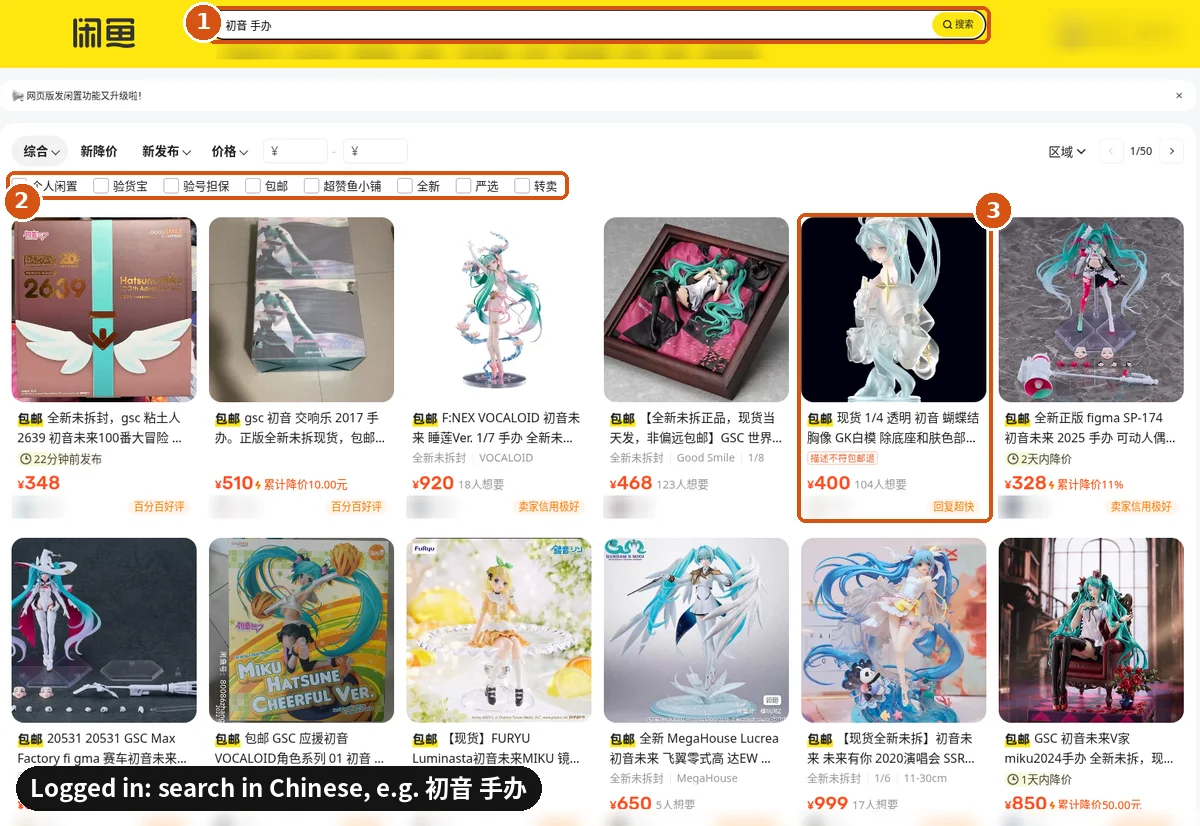
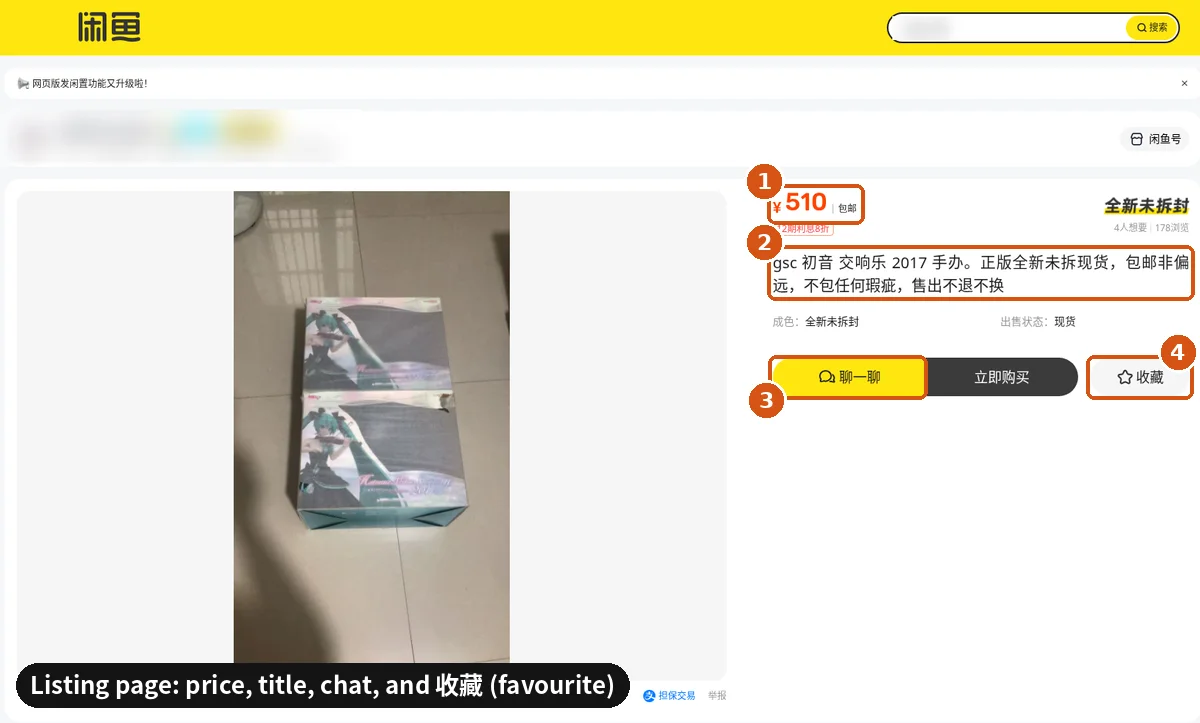
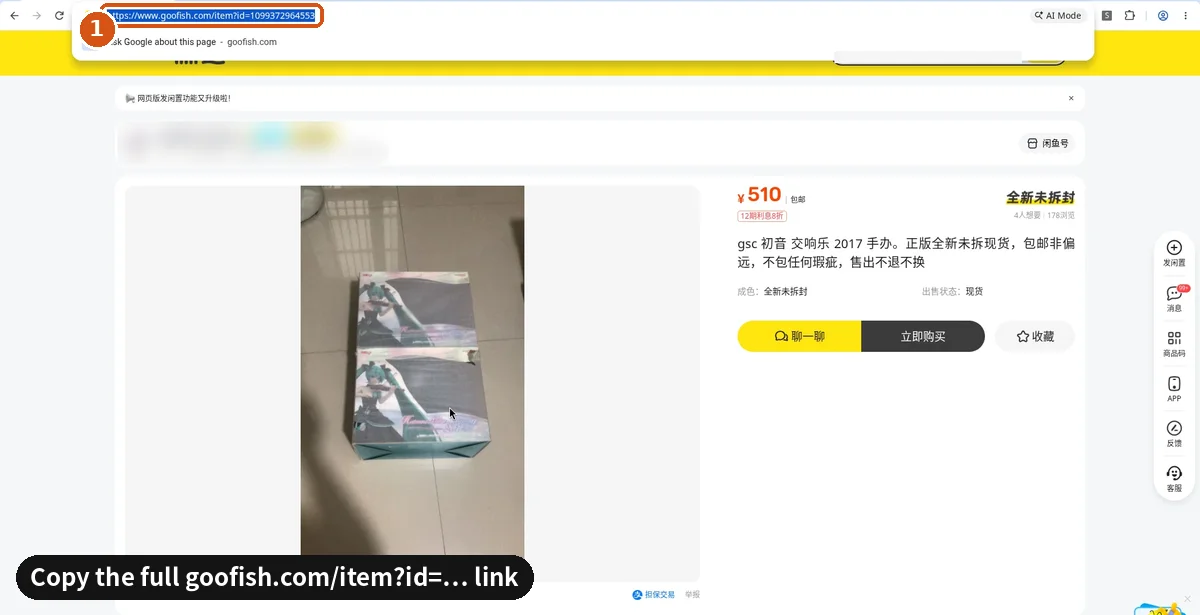
Step 3. Copy the listing link
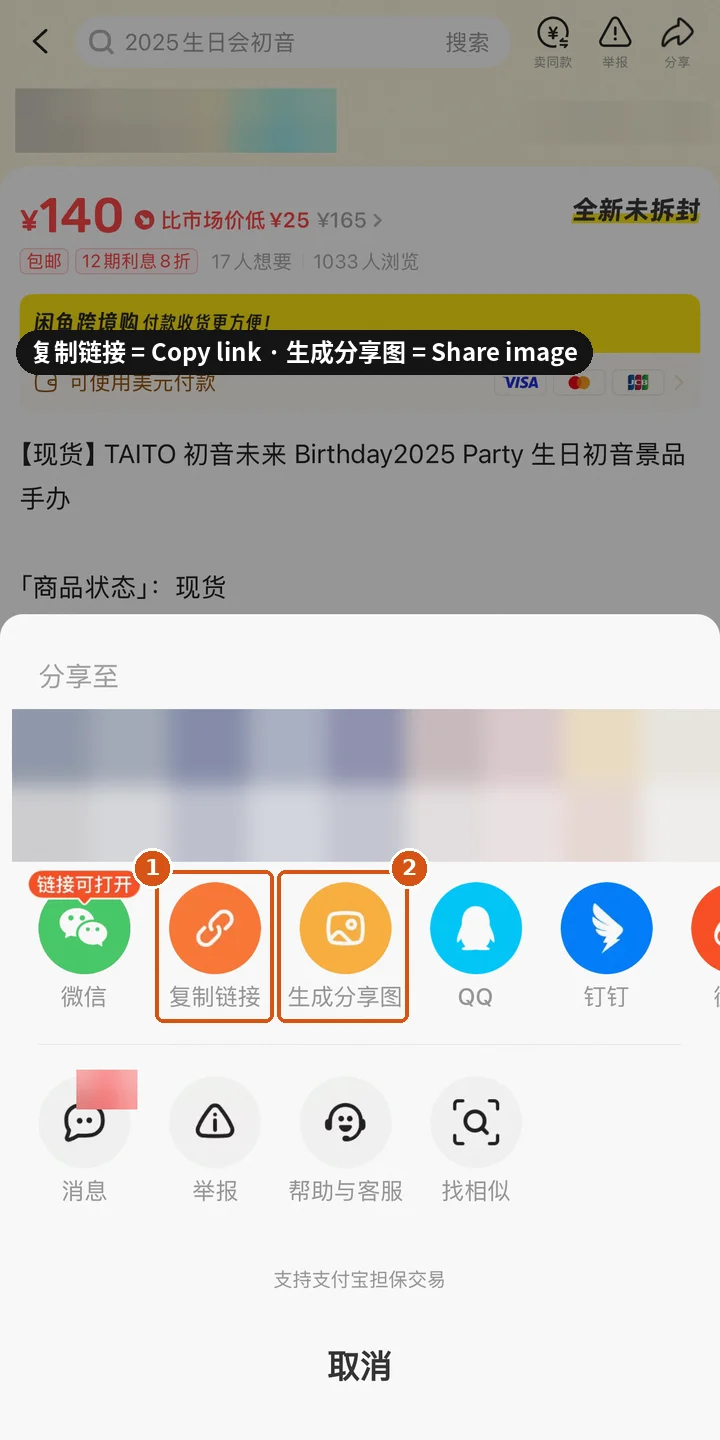
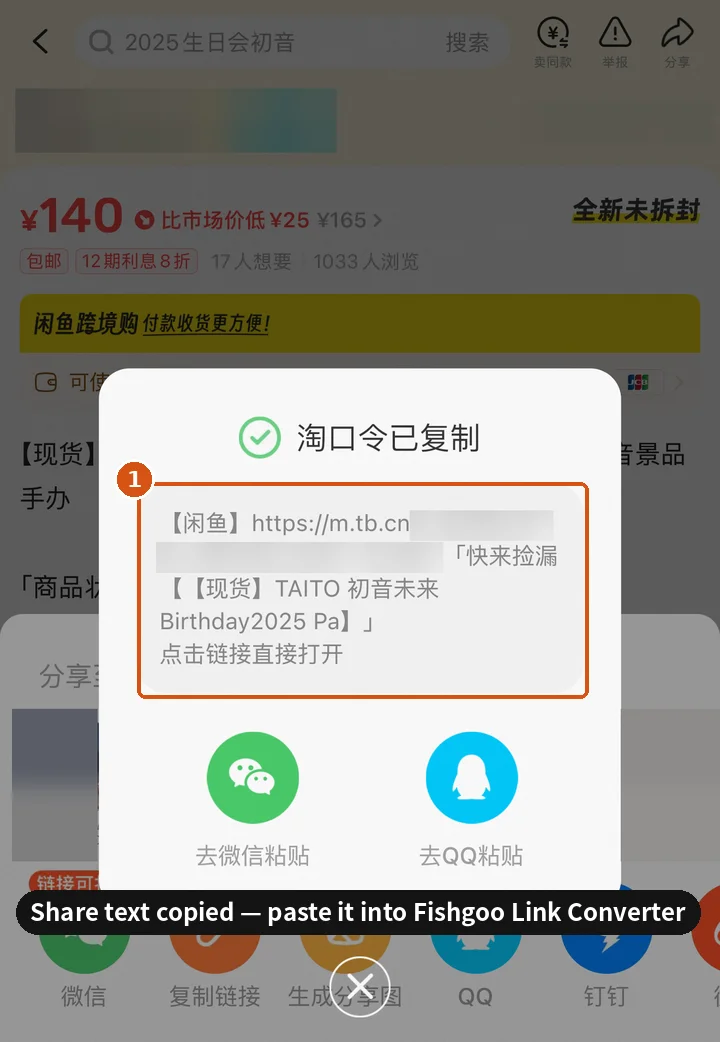
On desktop, copy the address bar. In the app, tap 分享 (Share) → 复制链接 (Copy link); you get a 【闲鱼】 share text with an m.tb.cn short link.
In the app it takes two taps:
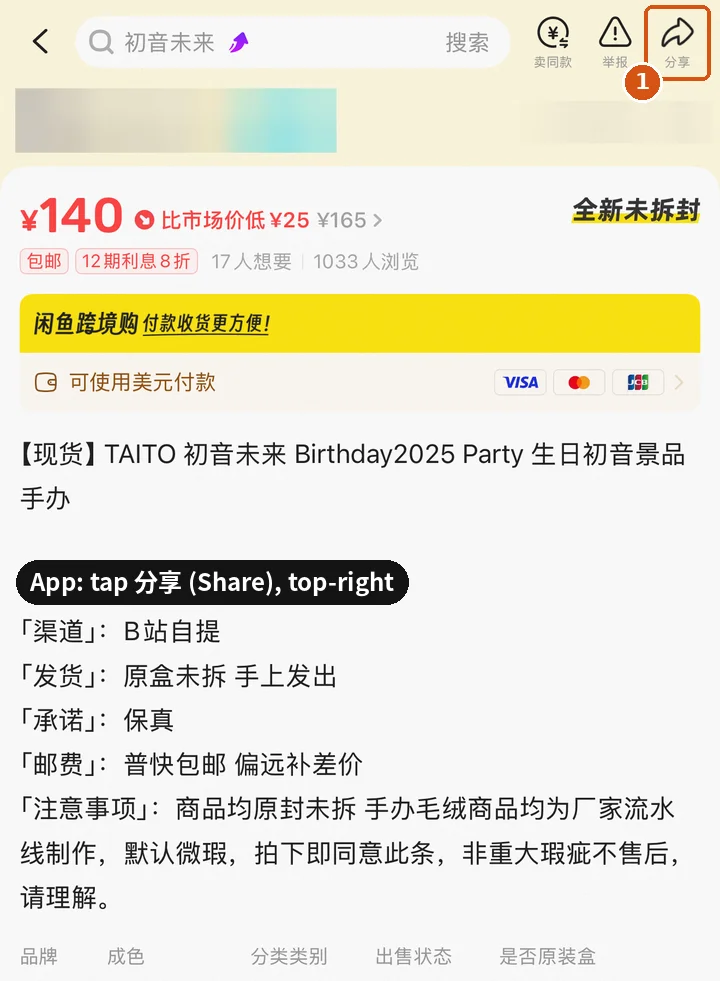
See the iPhone Copy link screenshot above.
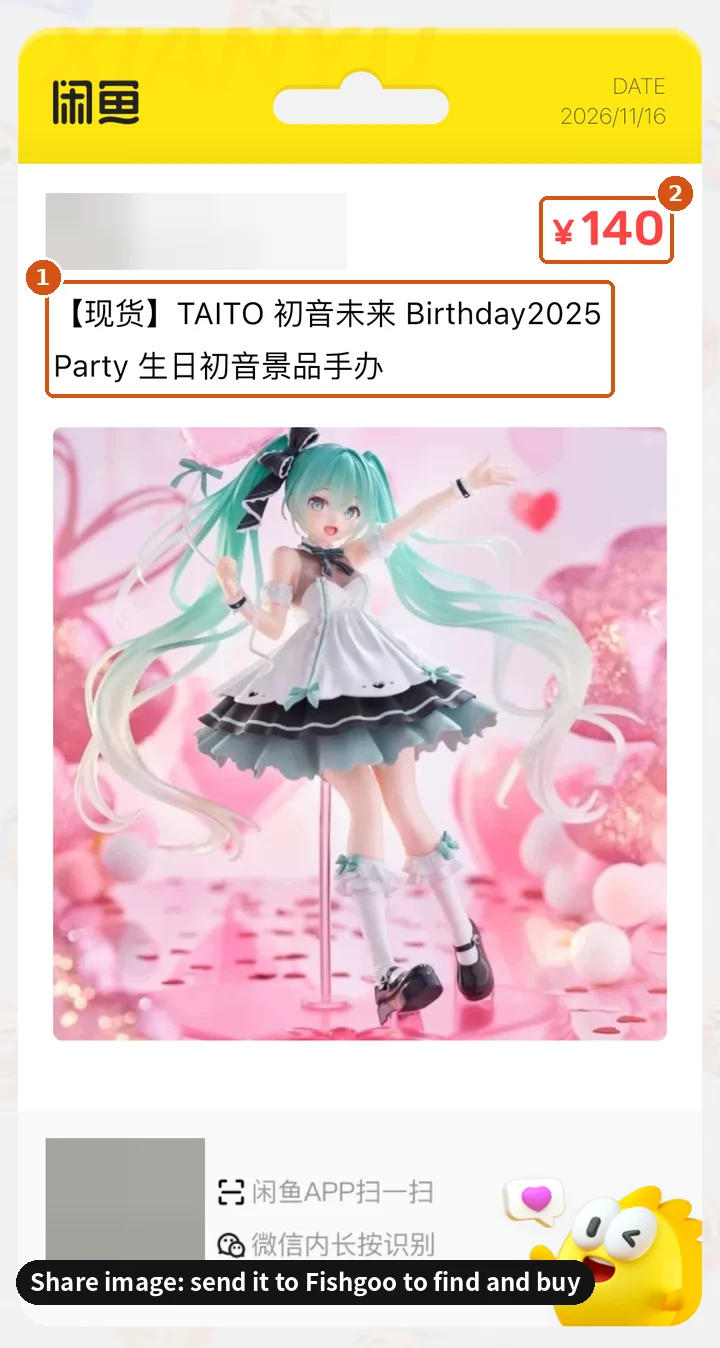
If you chose 生成分享图 (Share image) instead, you get a picture card. You can send that to us through Route B.
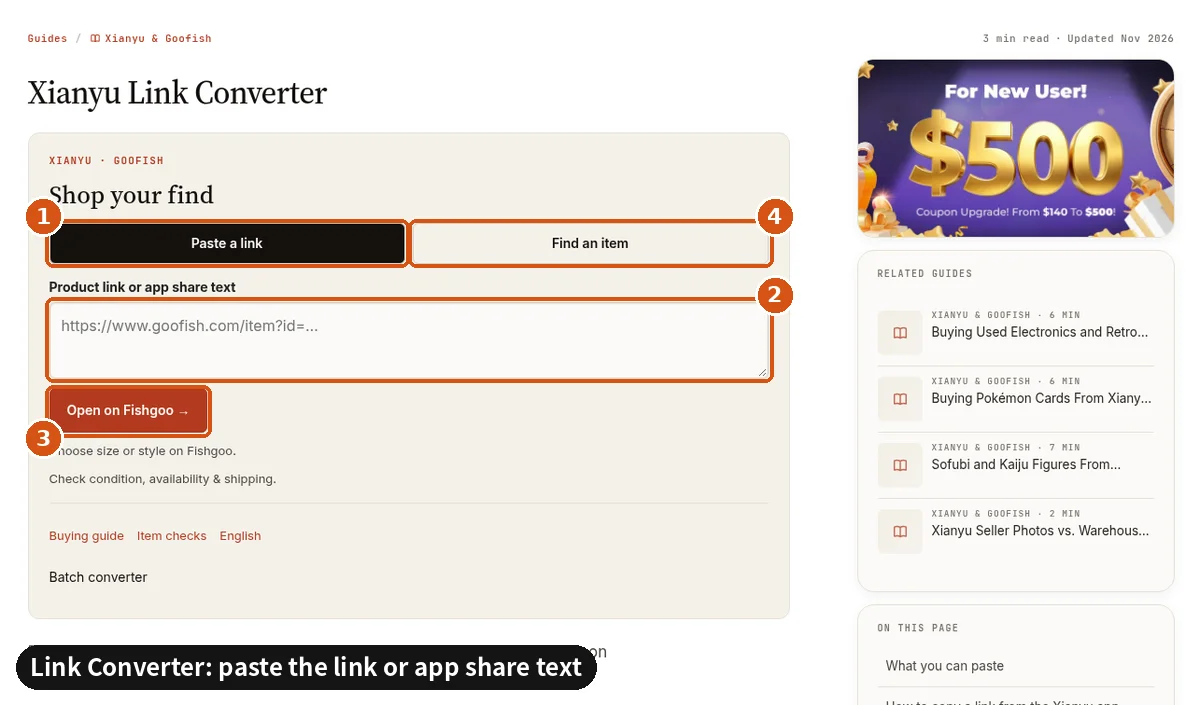
Step 4. Paste it into Fishgoo
The Xianyu Link Converter takes a goofish.com product link or the full Xianyu app share text — the whole 【闲鱼】https://m.tb.cn/h.…?tk=… block — and opens the item on Fishgoo with its price, ready to order.
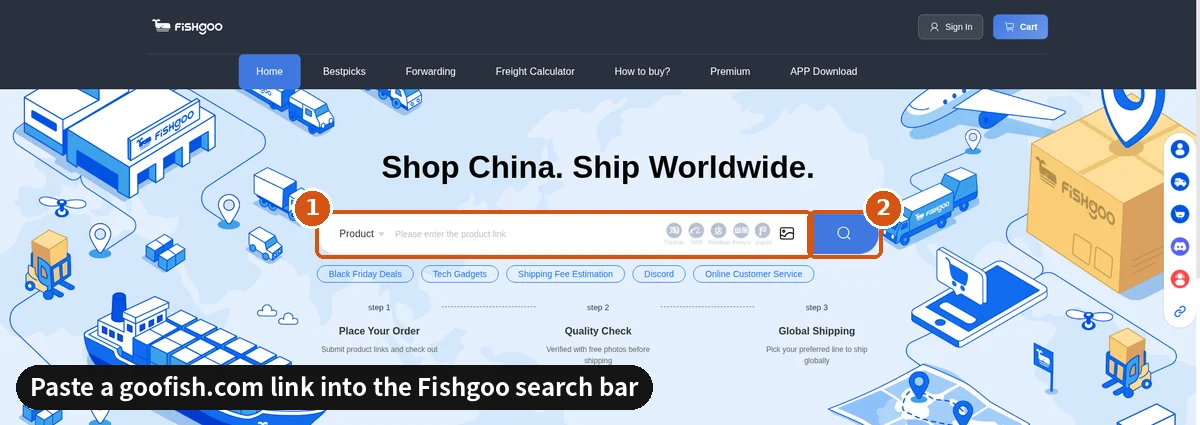
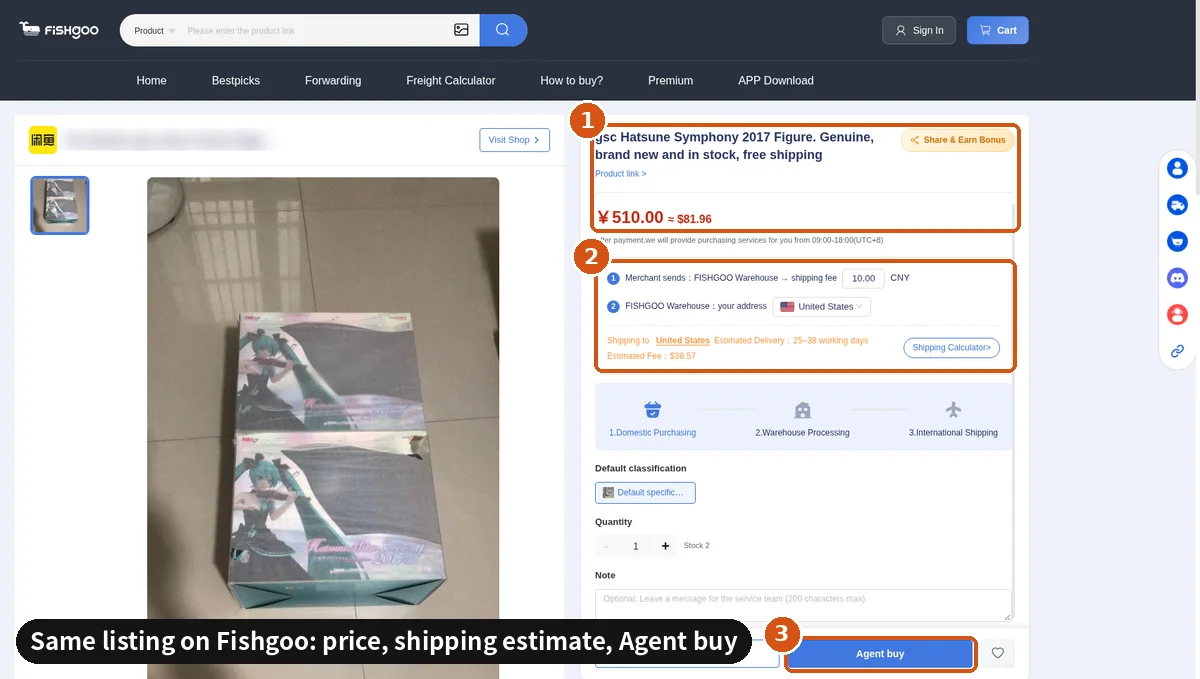
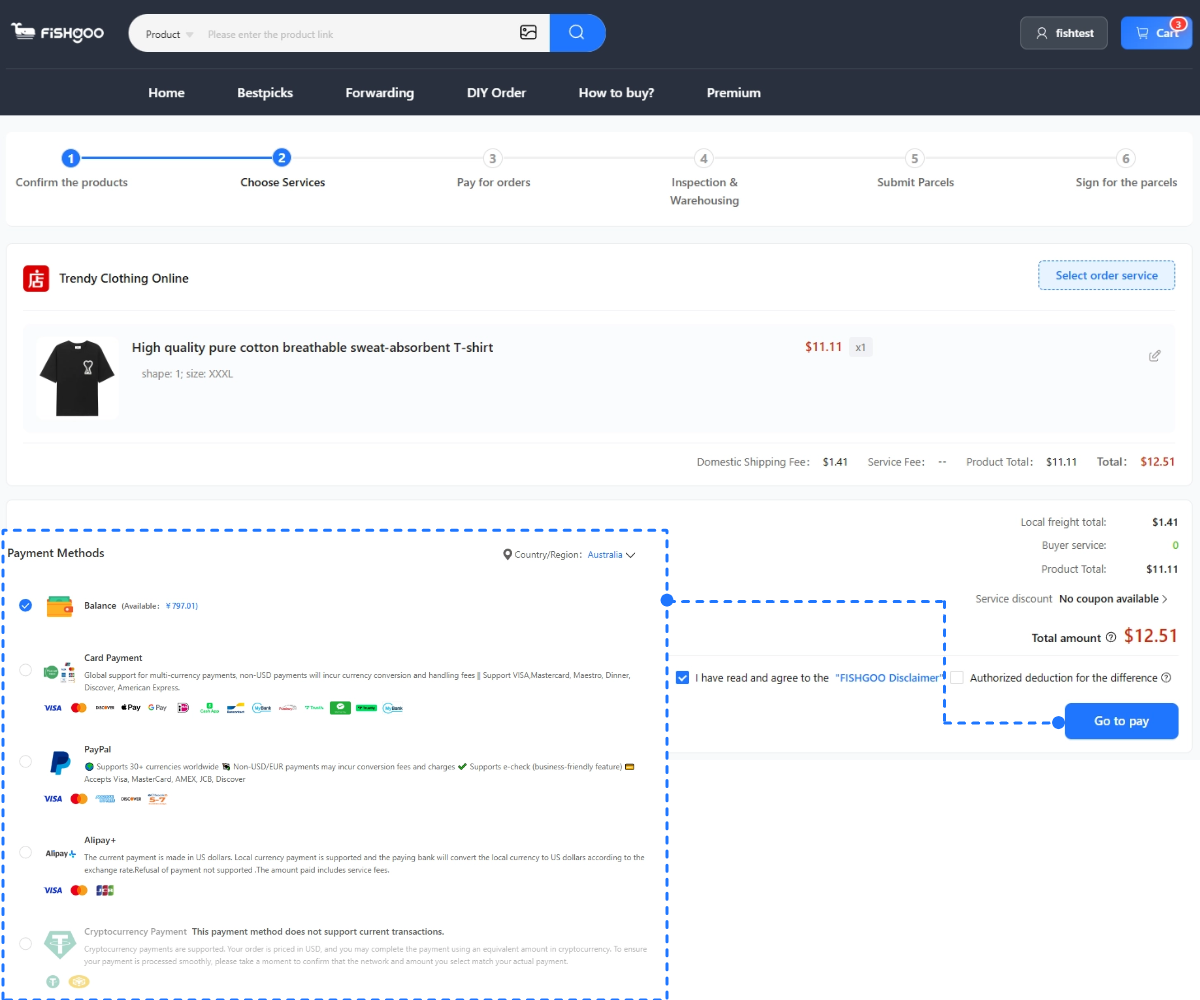
Logging in isn’t the same as being able to pay. Messaging sellers and paying usually need real-name verification and Alipay, so most overseas shoppers still check out through an agent.
Route B: No account? Send us a link, screenshot or keyword
| What you send | What we do | What it costs |
|---|---|---|
| Listing link or 【闲鱼】 share text | Open it in China, check the listing, buy it | 0% service fee |
| Screenshot or share image (title and price visible) | Locate the original listing and confirm it’s still live | A small fee applies |
| Keyword or character name | Search Xianyu in Chinese and send you options | A small fee applies |
| Questions for the seller | Ask in Chinese: condition, complete set, dents, price | Free |
| Bargain request | Negotiate politely before buying | Free |
International shipping depends on the route, the parcel’s real and volumetric weight, the product type and the destination. Use the Fishgoo shipping calculator or the China Shipping Cost Estimator for a current quote — we don’t publish a single flat rate here.
A share image from the app (生成分享图, see Route A step 3) or a plain screenshot works as a starting point too. It should show the title and price:
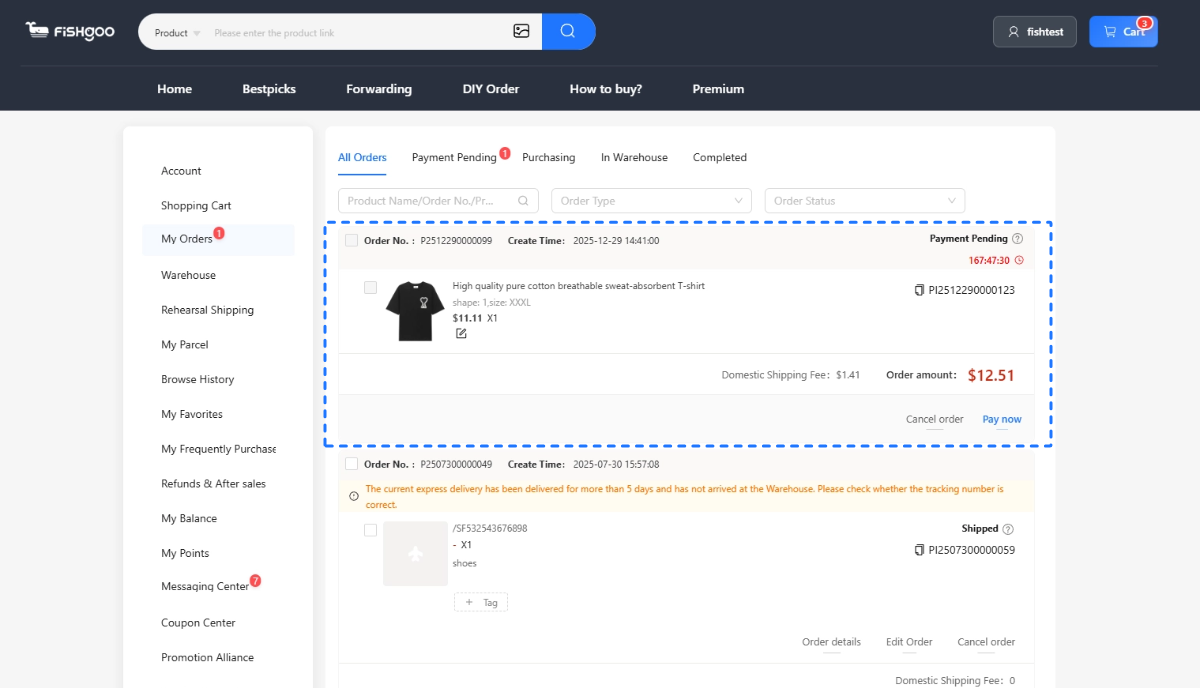
No account and no link? Send that share image, or a screenshot that shows the title and price, to Fishgoo customer service — use Ask us on the Fishgoo blog or website, or message us after you create a free Fishgoo account. We will search Xianyu in Chinese, confirm the listing is still live, ask the seller your questions, bargain if you want, and buy it for you. A screenshot helps us find the item; a confirmed product link is still the cleanest way to order.
Got a Xianyu link or share text? Paste it here.
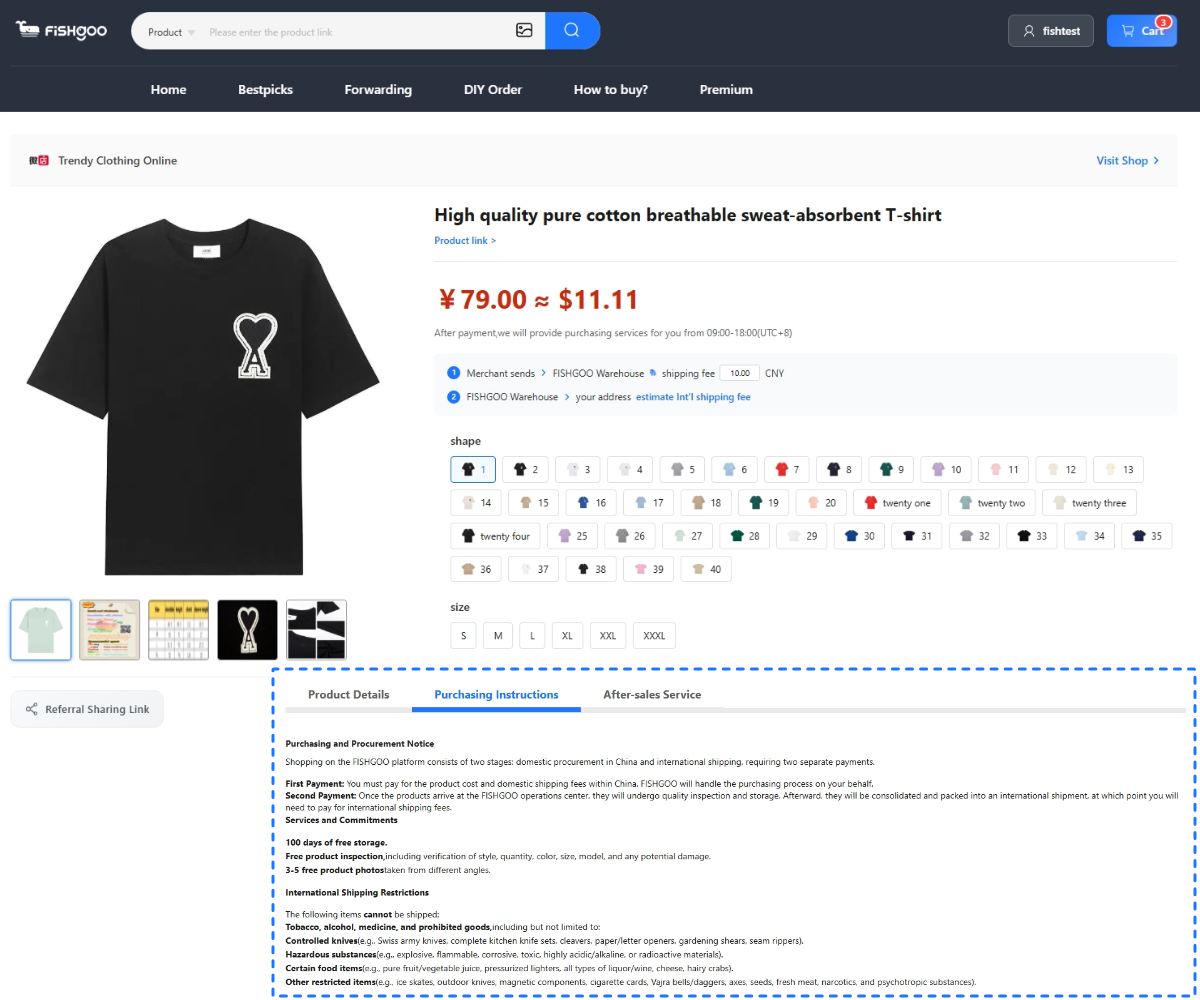
After purchase: 5 free QC photos per item, 100 days of free storage, then consolidate and ship on 2,000+ routes. Create a free Fishgoo account.
Merch shown is a second-hand example, not an endorsement. Buy official merchandise and check listings before paying. QC photos are for you to judge the item, not an authentication certificate.


Start with one product, sample or restock task
Send the product link or description, approximate quantity and destination. Review the scope before any paid purchasing work begins.