Taobao Image Search: How to Find Any Product From Just a Photo
A friend showed up wearing this jacket last winter. Dark olive, cropped bomber, matte finish, subtle ribbing at the cuffs. I asked where she got it. “Zara, like $120.” I took one photo of her standing in the parking lot. Went home. Uploaded it to Taobao’s image search. Got 40+ results. Found the exact same jacket — same factory, you could tell from the stitching pattern — for $22. Ordered it through Fishgoo. Arrived in 18 days. Identical in every way except the label.
Quick answer
How do you use Taobao image search to find products? Open the Taobao app, tap the camera icon in the search bar and upload a clear product photo. Taobao returns visually similar listings, often from many sellers, so you can compare price, sales volume and reviews. A clean product shot on a plain background works best.
- Crop to the product only.
- Compare several sellers — same look, very different quality.
- Translate the listing with your browser or an AI assistant before ordering.
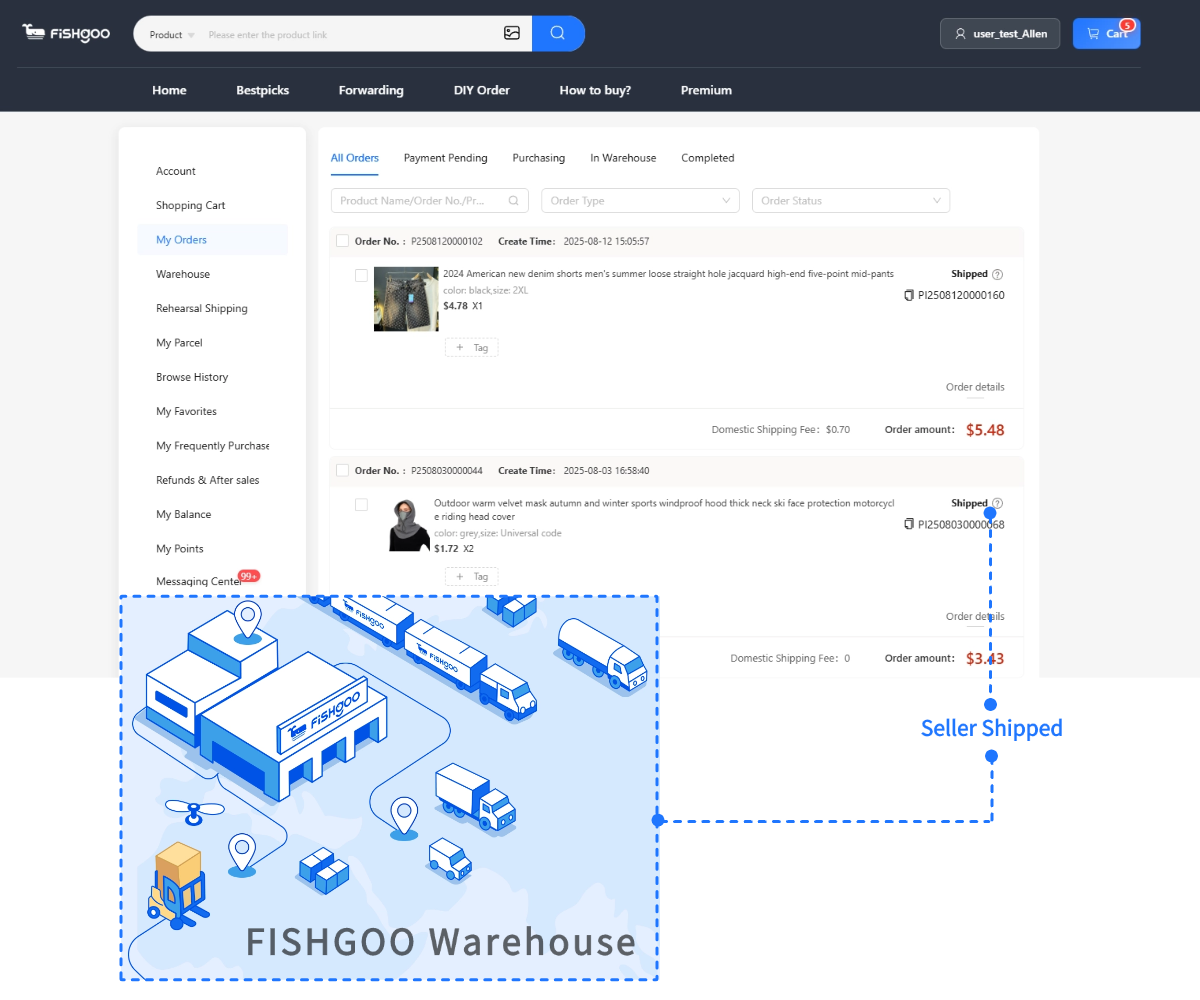
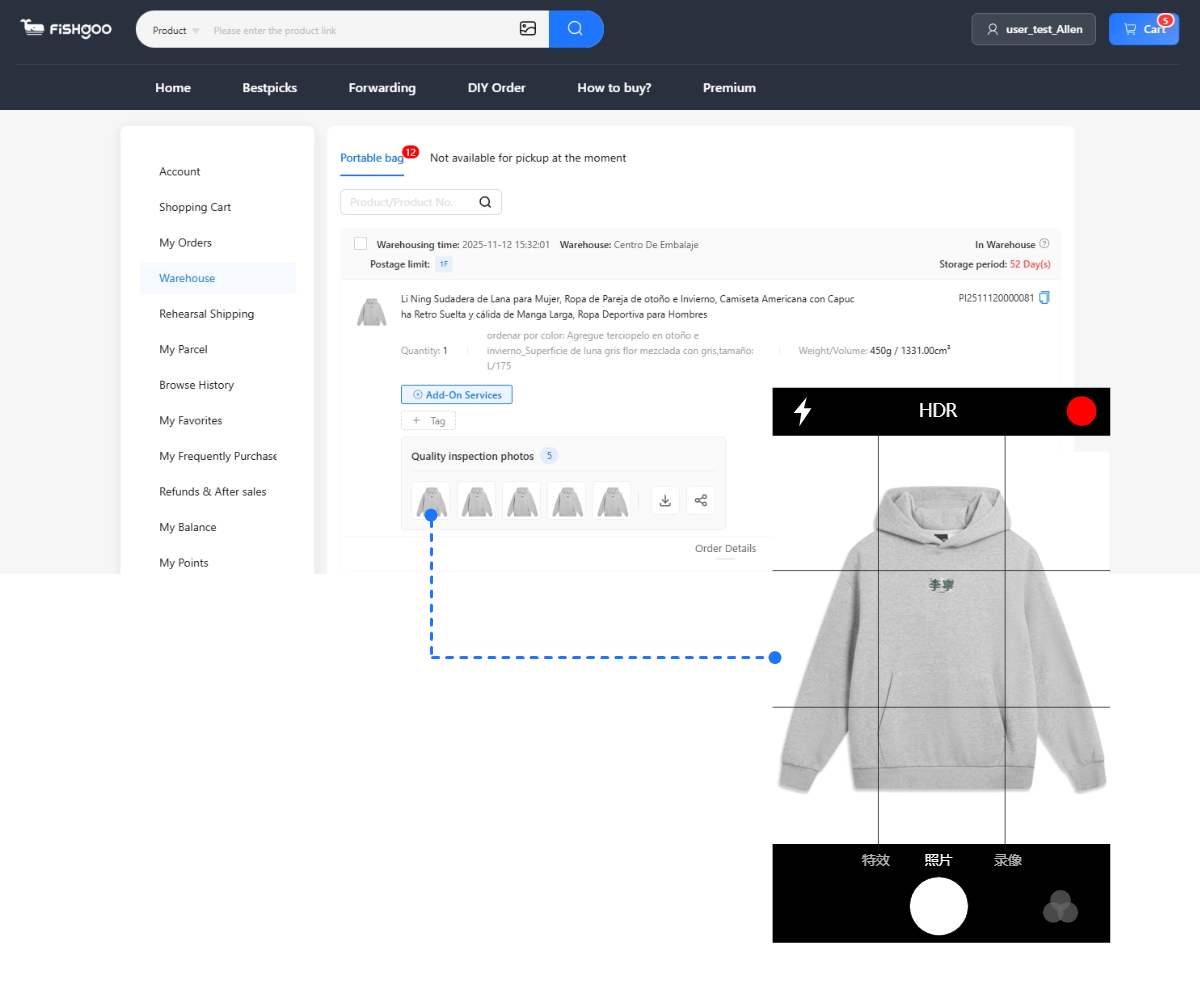
- Send the link to your agent to buy and check QC photos.
Can AI help translate Taobao listings?
Yes, ChatGPT and similar tools translate titles, specs and size charts well; double-check measurements in cm.
That’s $98 saved from a parking lot photo.
Taobao’s reverse image search is the single most underused tool in international shopping. It turns any photo — a screenshot from Instagram, a product shot from Amazon, a picture of something your coworker is wearing — into a direct search query against a billion Chinese product listings. No Chinese required. No keywords needed. Just a photo and 10 seconds.
This article is the deep dive on how to use it properly, because “upload a photo” sounds simple but getting good results versus mediocre results depends on knowing which photos work, how to refine what you get back, and what to do once you find what you’re looking for.
→ Broader search overview: 5 ways to search Taobao
How It Works (30 Seconds to Your First Search)
On the Taobao app
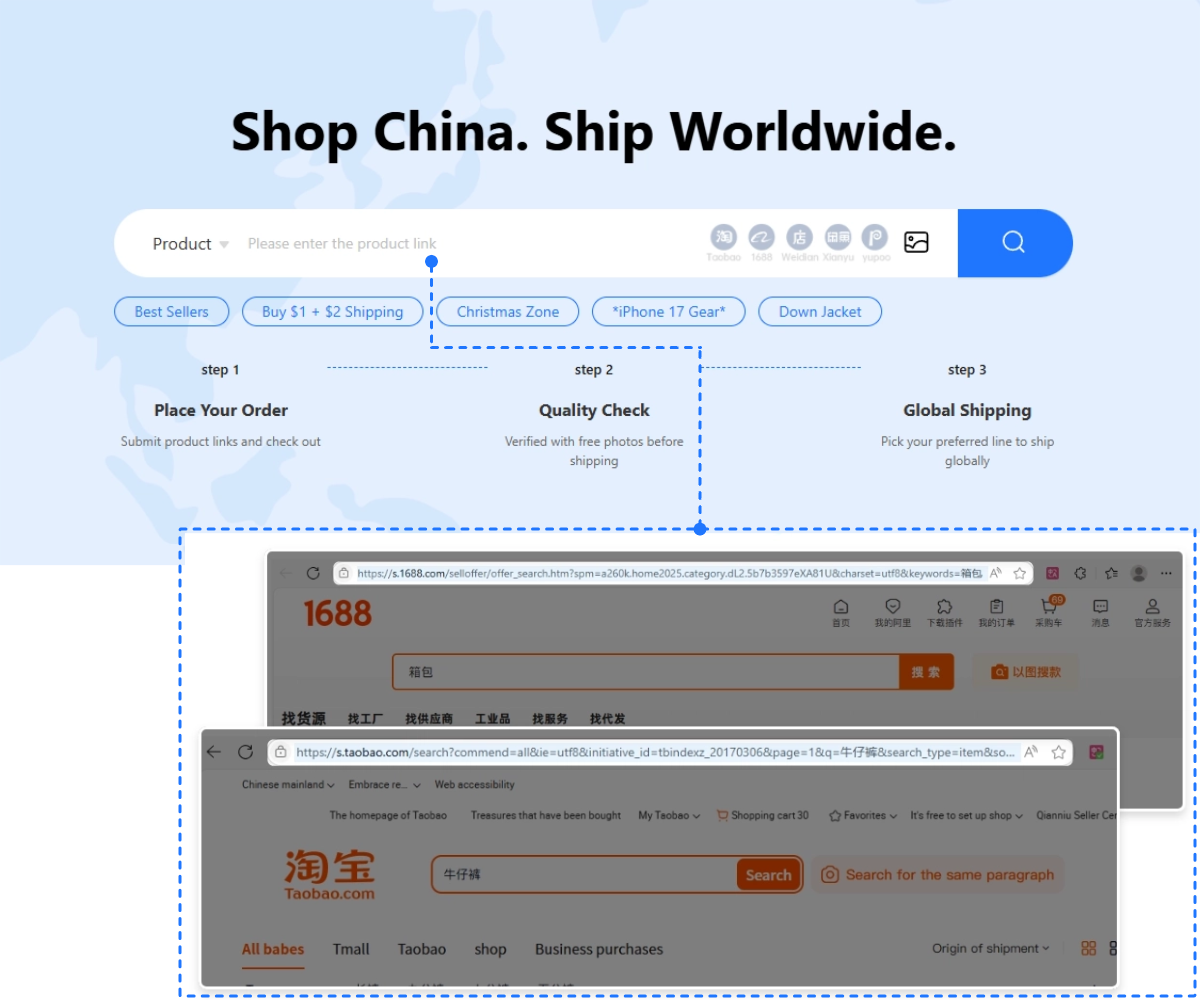
Step 1. Open the Taobao app on your phone. No account needed for searching — you can use image search without logging in.
Step 2. Tap the small camera icon inside the search bar at the top of the screen. It’s on the right side, next to the microphone icon.
Step 3. Two options appear: take a photo with your camera, or upload from your photo gallery. Pick whichever applies.
Step 4. Taobao processes the image for 2-3 seconds, then returns a grid of visually similar products from sellers across the platform. Scroll through. Prices display in yuan (¥) — divide by roughly 7.2 for USD.
That’s it. No Chinese typing. No translation. No account. Photo in, product results out.
On the desktop website
Go to taobao.com in Chrome. Look at the main search bar. There’s a camera icon on the right side — click it and upload an image file from your computer. Same algorithm, same results. Desktop is better for screenshots you already have saved; mobile is better for photographing things in the real world.
What Photos Work Best (This Is Where Most People Go Wrong)
The algorithm matches visual features: shape outlines, color distributions, pattern repetitions, and texture signatures. Giving it a clean signal produces dramatically better results than giving it noise.
Photos that work great
- Product shots on white or plain backgrounds. Amazon product photos, brand website shots, flat-lay photography. The algorithm isolates the product easily.
- Screenshots from shopping sites. Screengrab a Shein listing, an ASOS product, a Zara page — these are already clean product photos designed to showcase the item.
- Flat-lay photos. Items laid flat on a clean surface. Great for clothing, bags, accessories.
- Close-up pattern or texture shots. Searching for a specific fabric pattern, embroidery style, or hardware design? Crop the photo to just that detail. The algorithm handles texture matching surprisingly well.
Photos that work okay
- On-body fashion photos. Lifestyle shots from Instagram or Pinterest. The algorithm can identify the clothing item but sometimes gets confused by the person’s body, background elements, or accessories. Results are decent but noisier.
- Real-world photos with some background. My parking lot jacket photo worked because the jacket was the visually dominant element. If the background had been busier — a crowded street, complex architecture — results would’ve been worse.
Photos that work poorly
- Group photos or wide shots. Multiple people, distant subjects. The algorithm doesn’t know which item you’re looking for.
- Heavily filtered or edited images. Extreme color grading, artistic effects, black-and-white conversion. These distort the color and texture signals the algorithm relies on.
- Collages or mood boards. Multiple items in one image. The algorithm tries to match all of them simultaneously and returns confused results.
- Screenshots with UI elements. Phone notifications, app interfaces, or browser toolbars in the image add noise. Crop them out before uploading.
The crop trick
Before uploading, crop the photo to show only the specific item you want to find. Remove background, remove other objects, remove text overlays. A tightly cropped image of just the product returns 2-3x more accurate results than a full-screen screenshot with context around it. Takes 5 seconds in your phone’s default photo editor. Do it every time.
Real Examples: What I’ve Found Through Image Search
Let me walk through actual searches I’ve done, with real price comparisons. These aren’t hypothetical — they’re from my order history.
Example 1: The Zara bomber jacket
Source: friend wearing it at dinner. One photo taken casually.
Taobao results: 40+ matches. Exact match found at ¥158 ($22). Zara retail: $120.
Savings: $98. Ordered through Fishgoo. QC photos confirmed matching stitching pattern. Received in 18 days.
Example 2: The Instagram crossbody bag
Source: screenshot from an influencer’s story. Cropped to just the bag.
Taobao results: 20+ matches. Three sellers had the exact design. Best price: ¥28 ($4). The influencer’s brand was selling it for $45.
Savings: $41. Added to a haul as a lightweight filler item.
Example 3: The Amazon desk organizer
Source: Amazon product listing screenshot.
Taobao results: exact product from the likely original manufacturer. Amazon price: $18. Taobao: ¥22 ($3).
Savings: $15. Confirmed identical through buyer review photos and QC photos. Amazon seller was buying these for $3 and selling for $18. That $15 was pure markup.
Example 4: The TikTok trending earrings
Source: TikTok video screenshot, paused at a clear frame showing the earrings.
Taobao results: 60+ matches. The specific design was from a Taobao jewelry seller with 3,000+ transactions. Price: ¥8 ($1.10). TikTok Shop price for similar: $12.
Savings: $10.90 per pair. Ordered 4 pairs as gifts. Total savings: $43.60.
The pattern across these examples: products you see online, on people, or in stores almost always trace back to a Chinese manufacturer selling on Taobao at source prices. Image search is the bridge that connects what you see to where it actually comes from.
→ Why Chinese source prices are 30-80% lower
Refining Your Results
First-pass results are usually good but not always perfect. Here’s how to narrow down when you get too many results or not quite the right matches:
Sort by sales volume. After image search results appear, sort by “sales” (销量 — the second sort option). This pushes the most-purchased versions to the top, which typically correlates with the most-accurate matches and best quality-for-price.
Use price as a filter. If you’re looking for a mid-tier version of an item, set a price range. Too cheap ($1-3) gives you budget quality. Too expensive ($50+) might be overpriced. The middle range usually represents the best value matches.
Cross-reference with text search. Found a matching item but want more options? Note the Chinese product title from the best match, copy it, paste it into Taobao’s text search bar. This surfaces listings from sellers who have the same product but weren’t caught by image matching — maybe they used different listing photos.
Try multiple photos of the same item. Different angles sometimes return different seller pools. If your first image search returns mediocre results, try a second photo — different angle, different crop, different source image. The algorithm weights visual features differently depending on the dominant patterns in each image.
→ All 5 Taobao search methods compared
From Image Search to Purchase: The Complete Workflow
Once you’ve found something through image search, here’s the path to actually owning it:
1. Tap the listing you want. On the Taobao app, this opens the full product page.
2. Screenshot or copy the product URL. On the app: tap the share icon and copy the link. On desktop: copy the URL from your browser bar.
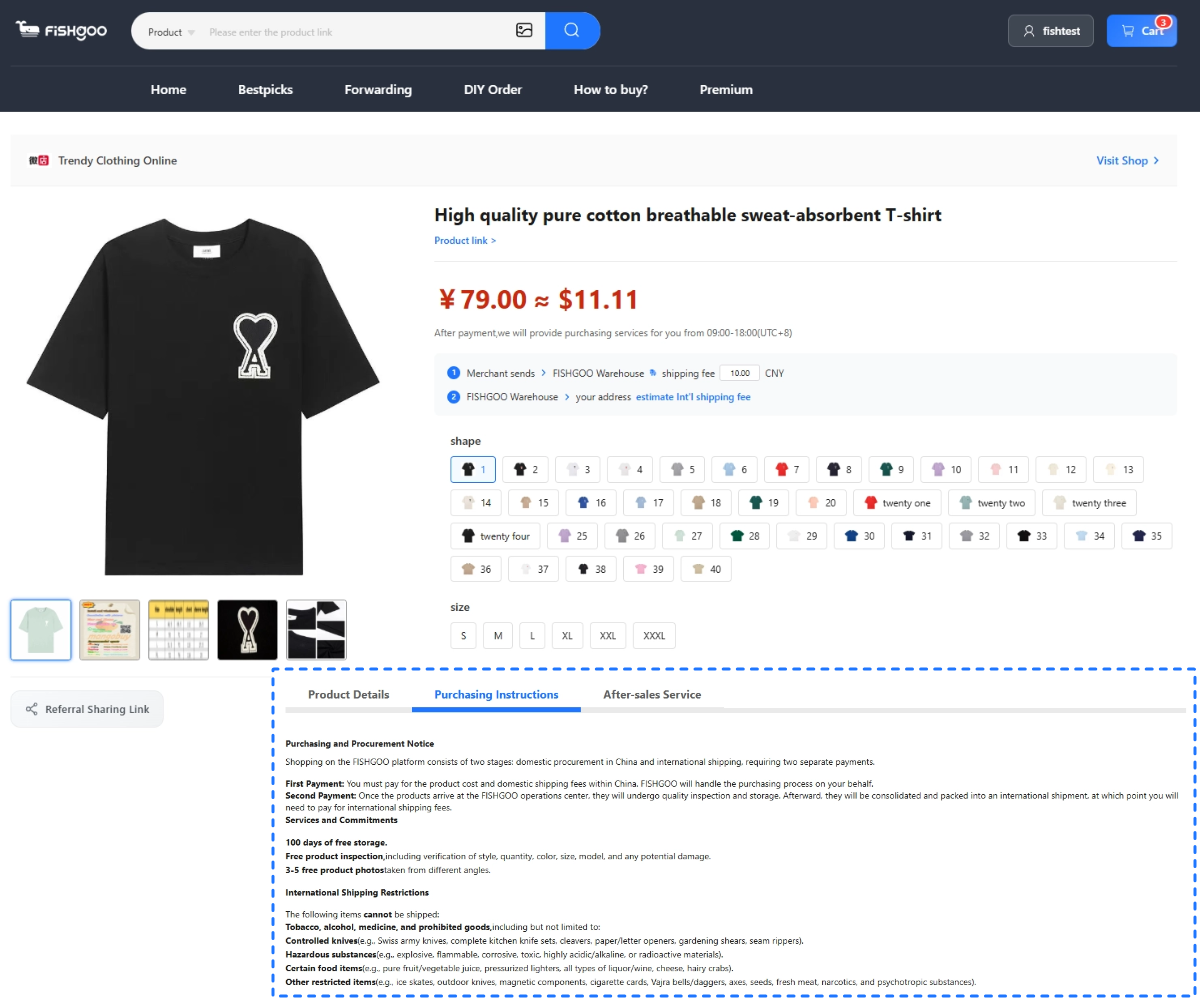
3. Open your agent’s dashboard. Log into Fishgoo. Paste the product URL into Fishgoo’s search bar.
4. Select size and color. Match your cm measurements to the listing’s size chart. Don’t guess letter sizes.
5. Verify the seller. Quick 90-second seller check: transaction count, buyer review photos, store age.
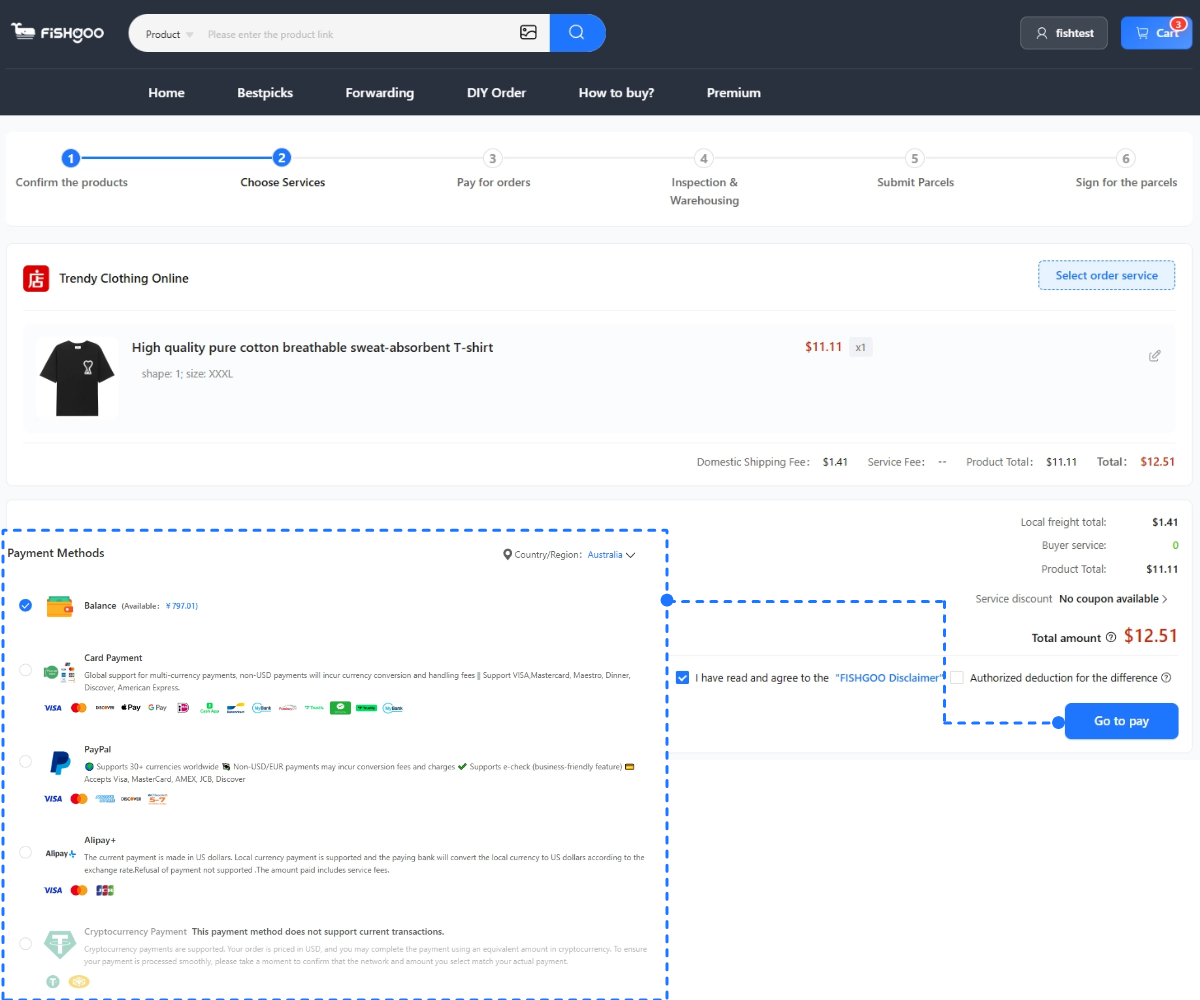
6. Add to cart. Pay via PayPal. Zero service fee on Fishgoo. Product cost only at this stage.
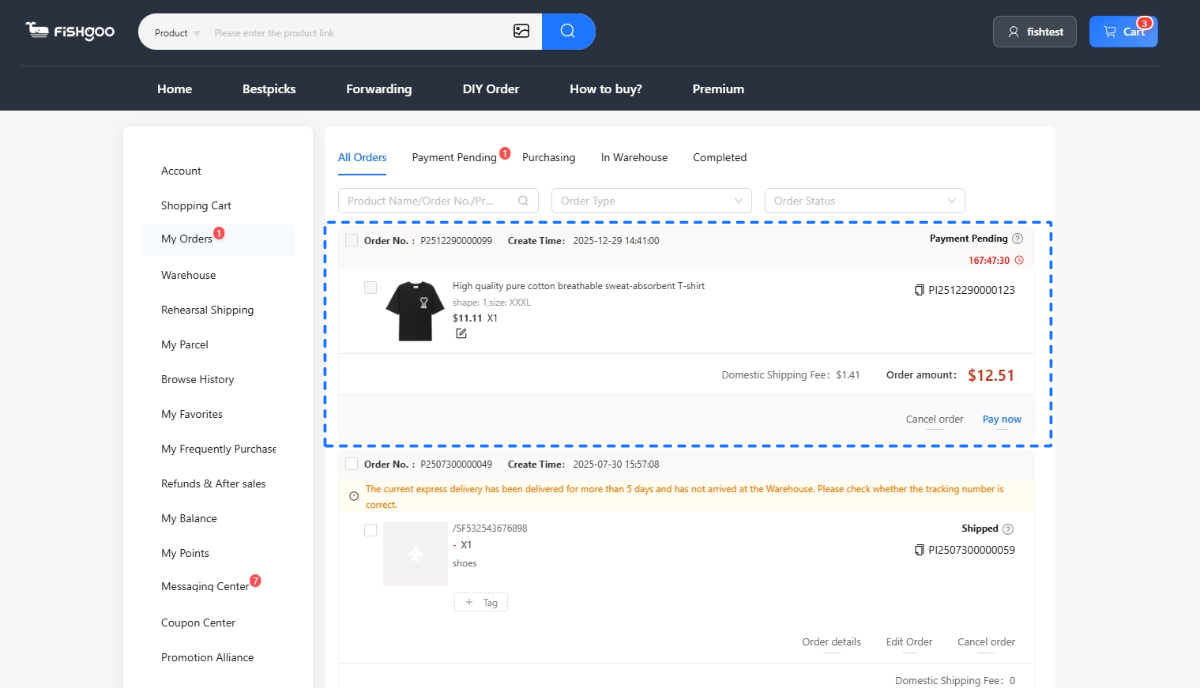
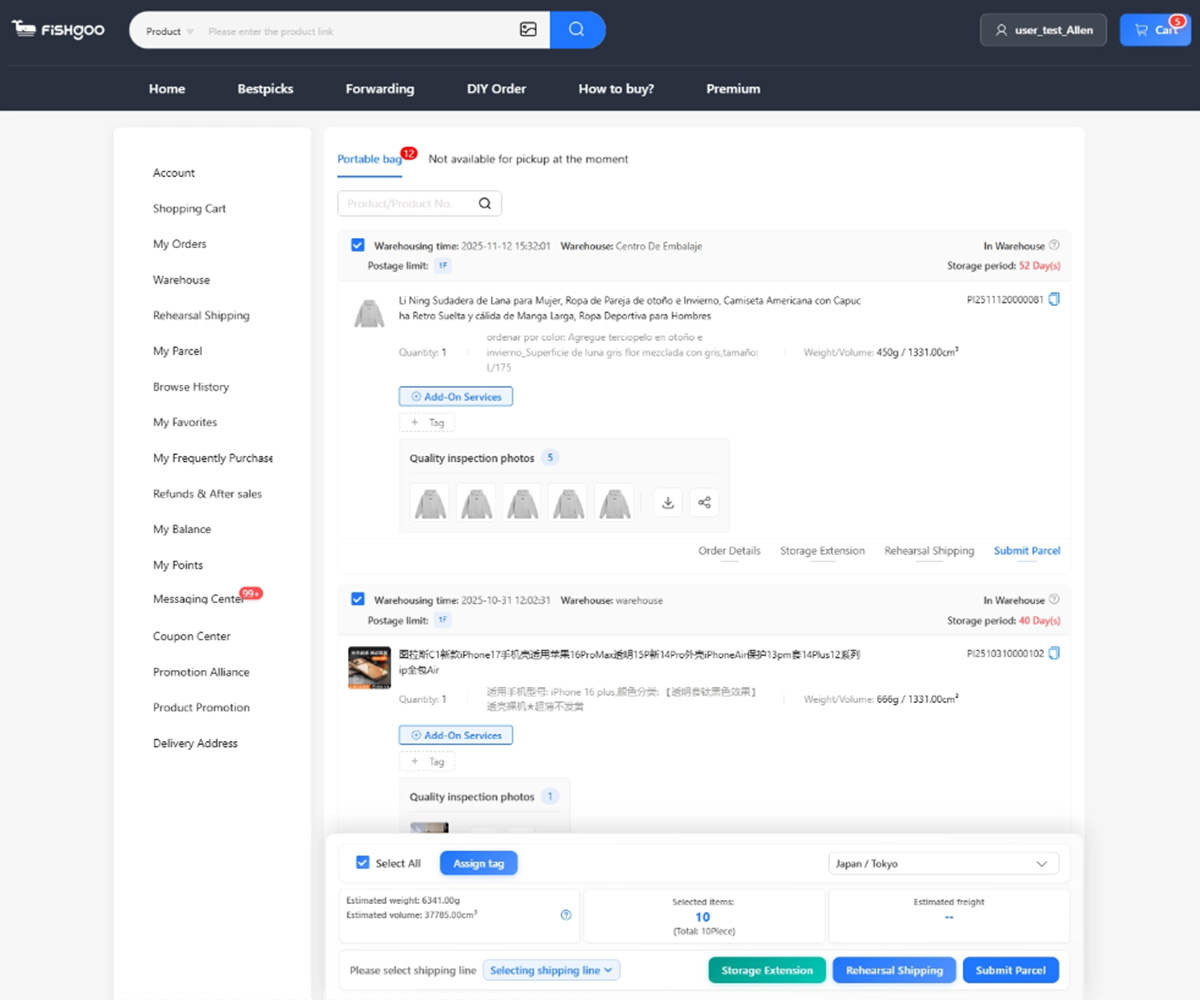
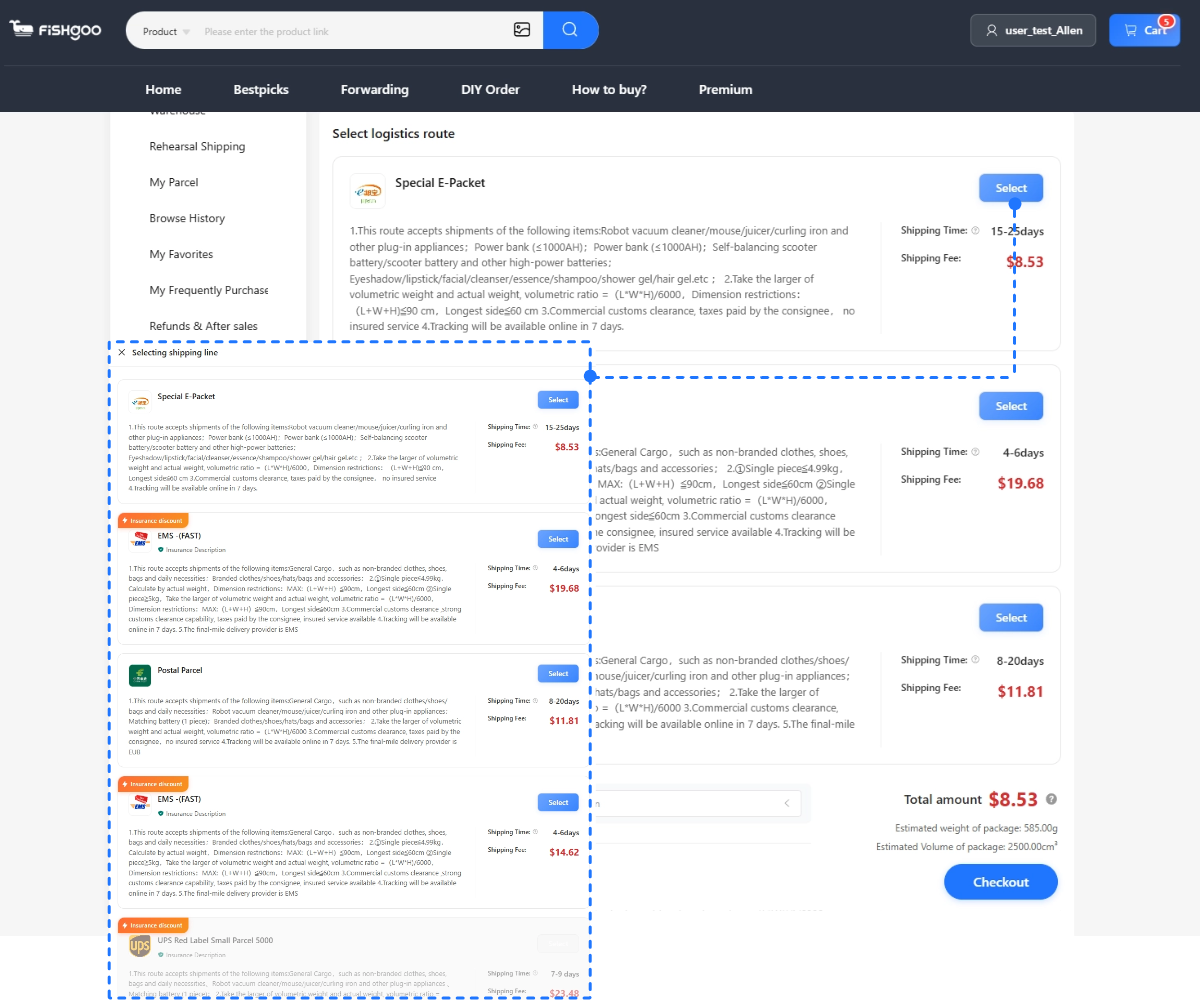
7. Wait for warehouse arrival → review QC photos → consolidate → ship.
The entire path from “I saw something I want” to “it’s in my agent’s cart” takes under 5 minutes. Image search compresses what used to be hours of browsing into seconds of visual matching.
→ Fishgoo step-by-step walkthrough
Creative Uses Most People Don’t Think Of
Beyond the obvious “find this product cheaper,” image search has some surprisingly powerful applications:
Identify unknown products. Saw something cool but have no idea what it’s called? Can’t describe it in words (English or Chinese)? Doesn’t matter. Photo it. Upload it. Taobao tells you what it is by showing you matching products with Chinese titles you can then translate.
Source alternatives when your preferred item is discontinued. Your favorite discontinued bag, your holy grail lipstick shade in packaging from 3 years ago, the exact phone case that cracked yesterday — upload a photo and find either the same thing from remaining stock or the closest available alternative.
Price-check before buying anywhere. Before purchasing anything at a Western store, screenshot the product and run it through Taobao image search. Even if you end up buying locally, you’ll know the actual source cost. You’d be amazed how many $50 “boutique” products are $8 on Taobao from the same factory.
Validate “handmade” or “exclusive” claims. An Etsy seller claiming a product is handmade and exclusive? Upload their product photo to Taobao. If 30 sellers offer the exact same item, it’s mass-produced Chinese stock, not handmade. Save yourself the “artisan” premium.
Build cosplay reference matches. Upload a character reference image. Taobao returns costume pieces, wigs, accessories matching the visual elements. No need to describe “dark red leather pauldron with brass rivets” in Chinese — just show the image.
Find matching sets. Bought a top from Taobao and want matching pants from the same factory? Upload the top photo. The algorithm often surfaces coordinating pieces from the same seller or factory line.
Image Search on 1688 and Weidian
Taobao isn’t the only Chinese platform with visual search. 1688 has its own image search — same concept, but results show wholesale-tier pricing. If you find a great match on Taobao at $15, running the same image through 1688’s search might find the same product at $8-10 wholesale.
Weidian‘s image search is less developed but functional for some categories, especially sneakers and fashion. Community-shared links still outperform Weidian image search for niche items, but it’s improving.
Through Fishgoo, results from all three platforms are purchasable in the same dashboard — paste any Taobao, 1688, or Weidian URL and checkout identically. You can cross-reference image search across all three to find the best price for the exact same product.
→ Small quantity wholesale from 1688
→ All Chinese platforms compared
Common Mistakes and How to Avoid Them
Mistake 1: Uploading the seller’s photo back to find “competitors.” This sometimes returns the exact same listing you started from because the algorithm recognizes its own listing photos. Use a different photo source — buyer review photo, a photo from a different platform, or your own real-world photo of the product.
Mistake 2: Trusting the cheapest match. Image search returns visually similar items across all quality tiers. The $2 result and the $25 result might look identical in thumbnail, but they’re from different factories at different quality levels. Compare transaction counts and buyer photos before assuming the cheapest is a good deal.
Mistake 3: Not cropping. Uploading a full Instagram screenshot with the phone’s status bar, notification badges, and the poster’s handle visible. The algorithm tries to match all visual elements including the UI. Crop to just the product. Every time.
Mistake 4: Giving up after one search. If your first photo doesn’t return great results, try a different angle, different crop, or a product photo from a different source. The algorithm isn’t perfect on every image, but across 2-3 attempts, it usually finds what you’re looking for.
Mistake 5: Buying without QC verification. Image search finds visually similar products — “visually similar” and “identical quality” are different things. The listing photo might match your reference perfectly, but the actual product could be a lower-quality version. QC photos from your agent confirm reality before you commit to shipping.
FAQ
-
Is Taobao image search free?
Yes, completely free. No account required. Works on both the app and desktop website with unlimited searches.
-
Can I use image search to find clothing in my size?
Image search finds the product. Sizing is a separate step — once you’ve found a matching listing, check the seller’s cm size chart and match to your body measurements. Image search doesn’t filter by size.
-
Does image search work for sneakers?
Extremely well. Sneakers have distinctive visual profiles that the algorithm matches accurately. Upload a photo of any sneaker silhouette and you’ll typically get dozens of results across price tiers. Works on both Taobao and Weidian.
-
Can I use Google Lens instead of Taobao image search?
Google Lens searches the global web, not the Taobao database specifically. It might find matching products on AliExpress or Amazon but misses the Taobao-exclusive listings that are 30-80% cheaper. For source-price matches, Taobao’s native image search is dramatically better.
-
How do I buy what I find through image search?
Copy the product URL from the Taobao listing, paste it into Fishgoo, select size and color, pay via PayPal. The agent handles everything from there — purchasing, QC inspection, and international shipping.
→ Found something? Buy through Fishgoo — zero fee, 5 QC photos


Start with one product, sample or restock task
Send the product link or description, approximate quantity and destination. Review the scope before any paid purchasing work begins.